

Create an Effective Negative Keywords List for Google Ads

How to Create an Effective Negative Keywords List for Google Ads to Optimize Campaign Performance
Google Ads: Digital Marketing Platform for Campaign Optimization
Chapter 42 delves into the dynamic realm of Google Ads, formerly known as Google AdWords, a cornerstone platform in digital marketing. Originally launched in 2000 and rebranded in 2018, Google Ads offers advertisers a robust suite of tools to promote products and services across Google’s extensive network, encompassing search results, websites, YouTube, and apps. Key to its effectiveness is precise audience targeting based on keywords, demographics, and user behavior, maximizing ad relevance and engagement. Advertisers bid on keywords, ensuring that relevant ads appear when users search, thereby driving clicks and conversions. The platform also provides comprehensive analytics to monitor campaign performance, optimize strategies, and enhance ROI.
Using google ads in digital marketing, K Solberg Söilen, 2024
What Are Negative Keywords and Why Are They Essential in Google Ads?
How Do Negative Keywords Improve Google Ads Campaign Optimization?
What Are the Different Types of Negative Keywords and Their Uses?
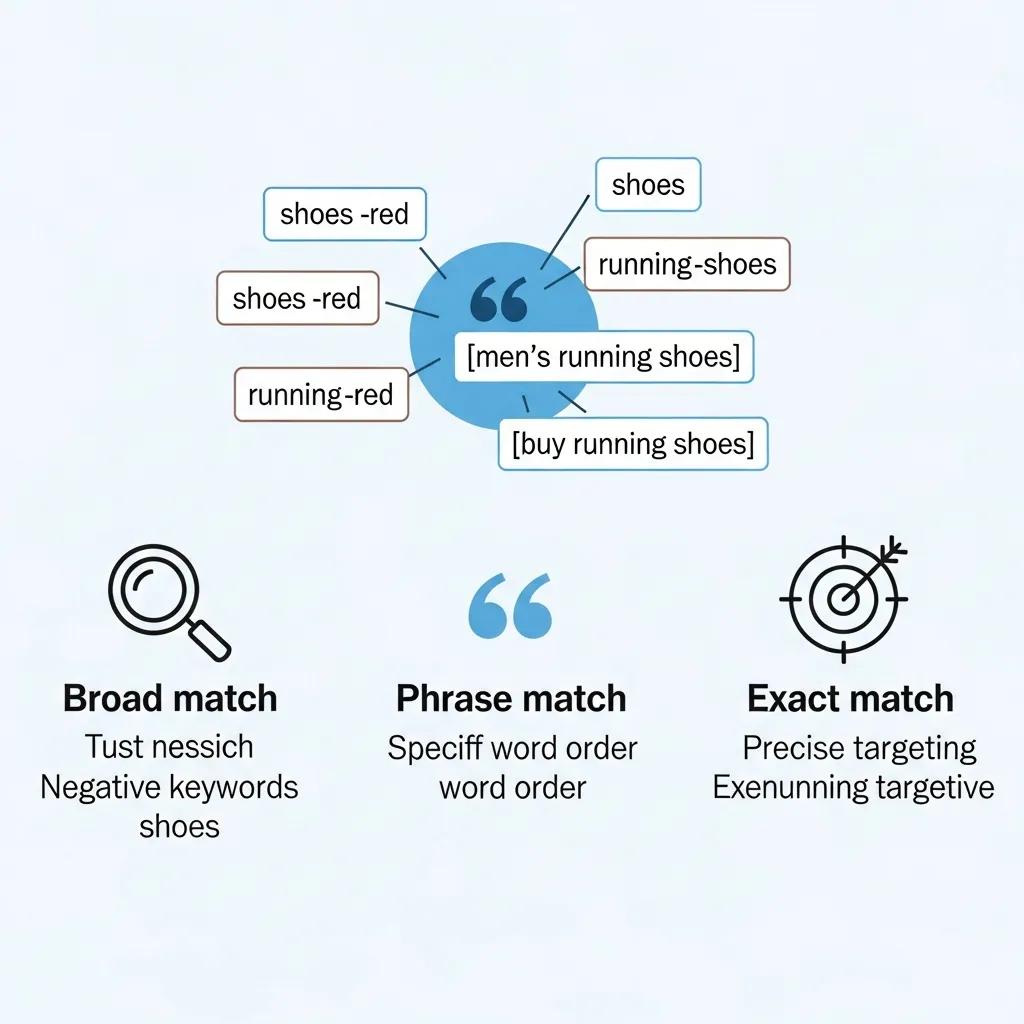
- Broad Match Negative Keywords: This type excludes your ad from appearing for any search that includes the negative keyword in any order or as part of another word. For example, if "free" is a broad match negative keyword, your ad won't show for searches like "free watches" or "watches for free," but also not for "freelance watches."
- Phrase Match Negative Keywords: This type prevents your ad from showing if the exact phrase is included in the search query in the same word order. For instance, if "discount watches" is a phrase match negative keyword, your ad won't appear for searches like "buy discount watches," but might still show for "watches discount."
- Exact Match Negative Keywords: This type ensures that your ad will not show for searches that exactly match the negative keyword. For example, if "cheap watches" is an exact match negative keyword, your ad won't show for that specific search term, but may show for "cheap watches online."
How to Find and Identify Negative Keywords for Your Google Ads Campaigns
Which Tools and Reports Help Discover Negative Keywords Effectively?
- Google Ads Search Terms Report: This report shows the actual search queries that triggered your ads, allowing you to identify irrelevant terms that should be added as negative keywords.
- Third-party Keyword Tools: Tools like SEMrush and Ahrefs can provide insights into keyword performance and help identify potential negative keywords based on competitor analysis.
- Manual Keyword Research: Conducting manual research by brainstorming potential negative keywords based on your product offerings can also be effective.
How to Analyze Search Terms Reports to Extract Negative Keywords
- Access the Search Terms Report: Navigate to the Keywords section in your Google Ads account and select the Search Terms Report.
- Filter Irrelevant Queries: Look for search queries that do not relate to your products or services. For example, if you sell high-end electronics, queries including "cheap" or "free" should be flagged.
- Add to Negative Keywords List: Once identified, add these terms to your negative keywords list to prevent your ads from showing for those searches.
What Are Google Ads Keyword Match Types and How Do They Affect Negative Keyword Strategy?
What Is the Difference Between Negative Broad, Phrase, and Exact Match Types?
- Negative Broad Match: Excludes your ad from appearing for any search that includes the negative keyword in any order or as part of another word.
- Negative Phrase Match: Prevents your ad from showing if the exact phrase is included in the search query in the same word order.
- Negative Exact Match: Ensures that your ad will not show for searches that exactly match the negative keyword.
How to Choose the Right Match Type for Your Negative Keywords
- Relevance: Ensure that the negative keywords you choose are highly relevant to your products or services.
- Search Behavior: Analyze how users search for your products and select match types that align with their behavior.
- Testing: Experiment with different match types to see which ones yield the best results for your campaigns.
How to Build and Organize an Effective Negative Keywords List for Google Ads
What Are Best Practices for Structuring and Managing Negative Keyword Lists?
- Categorization: Group negative keywords into categories based on themes or product types to make management easier.
- Regular Updates: Regularly review and update your negative keywords list based on performance data and new search terms.
- Use Spreadsheets: Utilize spreadsheets to track and manage your negative keywords efficiently.
How to Implement Negative Keywords Step-by-Step in Google Ads Campaigns
- Access Your Campaign: Log into your Google Ads account and navigate to the campaign where you want to add negative keywords.
- Select Keywords: Click on the "Keywords" tab and then select "Negative Keywords."
- Add Negative Keywords: Enter your negative keywords, choosing the appropriate match type for each term.
- Save Changes: Ensure you save your changes to apply the negative keywords to your campaign.
How to Monitor, Optimize, and Update Your Negative Keywords for Maximum ROI

Which Metrics Indicate Negative Keyword Effectiveness in Campaign Performance?
- Click-Through Rate (CTR): A higher CTR indicates that your ads are reaching a more relevant audience.
- Cost Per Click (CPC): Lower CPC values suggest that your negative keywords are effectively filtering out irrelevant traffic.
- Conversion Rates: An increase in conversion rates indicates that your ads are being shown to users who are more likely to convert.
What Are Advanced Strategies and Automation Tools for Negative Keyword Management?
- Automation Tools: Utilize tools like Google Ads scripts or third-party software to automate the process of adding and managing negative keywords.
- Advanced Filtering Techniques: Implement advanced filtering techniques to identify negative keywords based on performance data and search behavior.
- Integrating AI: Explore AI-driven solutions that can analyze search data and suggest negative keywords based on patterns and trends.
What Are Real-World Examples and Recent Trends in Negative Keyword Usage for Google Ads?
How Have Negative Keyword Strategies Improved Campaign Results in Recent Years?
Google Ads Campaign Analytics for Website User Acquisition
To increase awareness of the initiative and use of the website’s content and resource recommendations, a Google Ads campaign was developed. Objective:This study aimed to compare user acquisition and behavior on the Headstrong website during and after a Google Ads campaign. Methods:The Google Ads campaign was launched on December 21, 2017, and run until February 28, 2018. Website analytics (acquisition of new users, behavior in terms of at-website actions and duration, devices used, and conversions [link-outs to recommended resources]) in a 30-day period during the campaign (January 26, 2018 to February 24, 2018) were compared to a similar 30-day period after the campaign (March 23, 2018 to April 21, 2018). A cost analysis of the ad campaign was also performed.
Website analytics of a Google Ads campaign for a men’s mental health website:
Comparative analysis, AL Murphy, 2018
Recent Comments